The other day I was talking to a physiotherapist about telehealth and how he survived the last year of lockdowns. He commented with humour about some of the tell-tale signs that a person hasn’t done this sort of thing before. “I’ve never done this before,” said one patient, stating the obvious while she struggled to get out of the dark shadow she was sitting in. Another patient had settled into a chair that was lower than the camera and he was squinting at the monitor with his face turned up so that he could see through the bottom of the glasses. The physio could see up his nose and gently directed him on how to position himself so that the interaction felt more natural.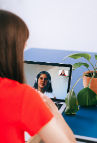
Being in Level 3 lockdown again in Auckland and Level 2 for the rest of New Zealand means we’re talking more on video again.
Here are some simple ways to make your video-conversations feel more natural.
- Have a simple background. It’s become popular to use the Zoom background images to mask an untidy bedroom (ahem, office). The best and easiest way to get a clean background (and not show your personal space to the other person) is to have a wall behind you.
- Face the light. All our lives we’ve been taught to read a book with the light behind us. When we want to be visible in a video conversation, we should do the opposite. That means face the window! Or turn a desk lamp on and point it at your face (just avoid blinding yourself with the light).
- Know where the camera is. It’s in different places on different devices, so work out where the camera is and position the device so that it’s pointing from slightly above you. You might have to put the device on a few books or a box to raise it a bit.
- Eye contact can be tricky. To some degree or another, we all prefer eye contact when we’re talking to someone. To achieve eye contact, move the image of the person you’re talking to as close to the camera as possible. For example, if the camera is in the top middle band of your computer’s monitor, move the window with the video conversation to just under the camera.
- Avoid having to hold your device during the conversation. You’ll get tired. If you’re talking to a healthcare professional (like a doctor, nurse, your physio etc) you may need to take notes or show them something they’re asking to look at. If your camera is not still it’s hard for them to make an assessment.
- Make sure the sound is working well. This should be for you and the person you’re talking to. Some people find it easier to use earphones. Usually you can turn the sound up or down on a computer by clicking on the sound icon in the bottom right corner. It’s different on your phone and tablet, so find out how the sound works before you make a call.
- Distractions. Have you noticed how hard it is to hold a phone conversation while someone is talking nearby? The same applies for a video conversation. If you’re talking to someone about something private, go into a different room or outside.
- Avoid multitasking. I end up fidgeting while on a call, so I have a little bit of blue tack to play with to keep my hands busy. When I’m in business calls, I like to get on with the emails I am promising to do, or the note taking I’m doing but tapping away on the keyboard is distracting for both of us. Do one thing at a time and the video conversation will be much better.
Enjoy your video conversations!
#telehealth #telemedicine #research #covid19 #lockdown #health #survey #questionnaire #generalpractice #digitalhealth #virtualhealth #GP #Aucklandlockdown3 #NZlockdown2 #videodoctor #phonedoctor #videonurse #phonenurse
 Day by Day
Leave a comment